 Atlanta Pro Network

Contractor website ownership isn't one switch. When a designer builds your site, the domain, the hosting account, the words, the code and the photos can each end up owned or controlled by someone different. Paying the invoice doesn't settle it. The agreement and the account setup do.
TL;DR
- Your domain, hosting, content, code and photos are separate pieces. Check who owns or controls each one.
- An admin login is access, not ownership. Make sure the registrar and hosting accounts are in your business's name.
- Themes, plugins, fonts and stock photos often come with licenses that don't transfer automatically.
- Our position at Atlanta Pro Network is simple: we build it, you own it. Use the checklist below with any designer, including us.
Where we stand
We'll say it up front so you don't have to dig for it: your site, your domain, your content. We build it; you own it. After the build, our work is month to month, and you can cancel anytime. No 12-month contract and no website held hostage when you leave.
That's how we run our website and SEO work. But this article is meant to be useful whoever builds your site. The questions below are the ones we'd want a contractor to ask us, and the ones you should ask anyone else.
Contractor website ownership: the five pieces to check
A contractor website is really five things bundled together. Each one has its own owner, and they don't always line up.
| Website piece | What you should have | Common trap |
|---|---|---|
| Domain | Registered in your business name, in an account you can log into | Registered in the designer's account "for convenience" |
| Hosting | An account you control, or a written handoff plan | Site sits on the agency's server with no export path |
| Content | Your copy and the copy written for you, transferred in writing | Copy treated as the agency's work product |
| Code and platform | Files and logins you can hand to the next developer | Custom build nobody else can open |
| Photos and video | Your job photos stay yours, and new shoots are covered in the agreement | Stock images licensed only to the agency |
Let's go piece by piece.
Your domain: the address on your trucks
Your domain is the address on your trucks, yard signs and invoices. If it lapses or sits in someone else's account, everything else on this list stops mattering.
Ask three questions:
- Whose account holds the registration? It should be one your business can log into without calling the agency.
- Who is listed as the registrant? Your company, not the designer.
- Where do renewal and recovery emails go? To an inbox your business controls, not a former office manager's personal email.
An agency can still manage the technical settings for you. That's normal and helpful. The point is that they shouldn't be the only party who can get into the account.
A website admin password is not a domain registrar password. Don't accept one as proof you control the other.
Hosting: where the site actually lives
Hosting is the server your site runs on. Some designers put clients on their own shared account. Others set up hosting in the client's name. Website builders host everything on their own platform.
None of these is automatically wrong. What matters is what happens when you leave:
- Can you get a full backup of the site files and database?
- Will the site run somewhere else, or only on this platform?
- Is hosting bundled into a monthly fee that ends the day you cancel?
If the honest answer is "the site goes dark when you stop paying us," you should know that before you sign, not after.
Content: your words and your service pages
The copy on your service pages, your about page and your service-area pages is a big part of what makes a site rank and convert. You paid for it. Make sure the agreement says it's yours.
Separate two kinds of content:
- What you supplied: your logo, your job photos, the descriptions you wrote. Handing these to a designer doesn't transfer them.
- What was created for you: new copy, new graphics, new page layouts. The contract should say these transfer to your business and when.
A page that's live on your site isn't the same as having the editable text and source files. Ask for both.
Code and platform: can the next developer open it?
A contractor site might be built on WordPress, a hosted website builder, or custom code. Each has a different exit.
| Setup | Good for | What to check before signing |
|---|---|---|
| Self-hosted WordPress | Owners who want any developer to be able to maintain it | Which themes and plugins are licensed to the agency, not you |
| Hosted website builder | Owners happy to stay on that platform | What you can export, and what has to be rebuilt if you move |
| Custom build | Specific requirements a template can't handle | Source code, documentation, and the right to use them |
WordPress itself is open source, but a WordPress site can still run on paid themes, plugins and fonts licensed to the designer. When the agency relationship ends, those licenses may end with it. Ask for a list of every paid component and who holds the license.
Pick the setup that fits your business, then confirm the exit before you approve the build.
Photos and video: the part contractors forget
Your job photos are some of the most valuable content on your site. Before-and-afters of a kitchen in Brookhaven or a bath remodel in Decatur do more selling than any headline.
Check three things:
- Your own photos stay yours. Giving them to a designer for the site doesn't give the designer the right to reuse them elsewhere.
- Stock images are licensed, not owned. If the agency's stock subscription covers them, you may need to replace them when you leave.
- New shoots are covered in writing. If your agency films or photographs your jobs, the agreement should say who can use that footage and where.
If your marketing includes a monthly shoot (we run one shoot day a month for clients on our video and photo program), you're building a library of content over time. Make sure you know what happens to that library if you change agencies.
Access is not ownership
An administrator login lets you edit pages. It doesn't put the domain in your name, transfer copyright, or give you the hosting account.
Under U.S. copyright law, paying an independent contractor generally doesn't make you the owner of everything they create; a transfer usually needs to be in writing. So the agreement should spell out:
- Ownership: which work becomes yours, and when.
- Licenses: which materials you're using under someone else's license.
- Control: which accounts you can log into and administer.
- Portability: which files and content you can take with you.
This is a buying checklist, not legal advice. If the ownership language in a contract is unclear, have a lawyer read it before you sign.
The checklist to use with any designer
Bring this to every proposal you're comparing, including ours.
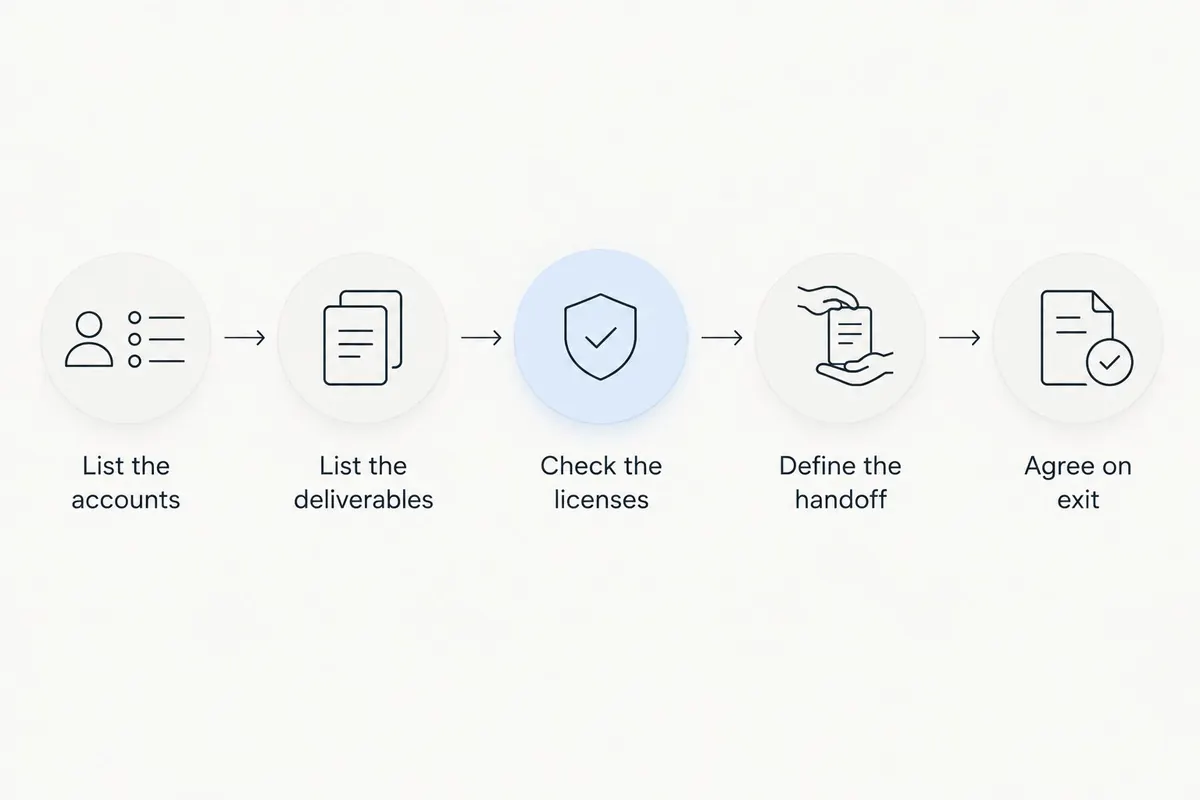
- List the accounts. Domain registrar, hosting, website platform, and any connected tools. Write down who controls each and where recovery emails go.
- List the deliverables. Pages, copy, images, code. Mark each as yours, transferred to you, or licensed.
- Check the licenses. Ask which themes, plugins, fonts and photos run on the agency's licenses, and what happens to them when you leave.
- Define the handoff. Account access, a full backup, editable files, and a short note on how the site is put together.
- Read the exit terms next to the ownership terms. Notice period, any outstanding fees, and whether the agency helps with the move.
- Test it now. Log into the registrar and hosting yourself while everyone is on good terms. A folder of passwords you've never tried isn't proof of anything.
What if your current agency says you can't take the site?
Ask them to point to the specific clause, license or technical limit behind that answer. "You can't take it" is too broad to act on.
Then separate the pieces. The domain, your supplied photos, the copy, the code and the platform export are different things. A restriction on one doesn't explain the others. Often you can recover the domain and your content even if a licensed theme has to be replaced.
Keep your agreement and emails, and get legal advice before doing anything that could take the site offline. If you're also moving your Google Business Profile, Search Console and analytics, our guide to switching agencies without losing access covers those accounts and the order to hand them over.
How we handle it at Atlanta Pro Network
We build websites for Metro Atlanta contractors: roofers, plumbers, HVAC companies, electricians, remodelers and more, from Buckhead and Sandy Springs out to Marietta and Johns Creek. For Briarcliff Remodeling in North Druid Hills we built the brand, website, Google Business Profile and CRM. For Rally Built Homes in East Atlanta, the website, Google Business Profile and CRM. You can see more on our work page.
Every site we build follows the same rule: your site, your domain, your content. We build it; you own it. Our published packages start with a one-time build, then run month to month. If you leave, you leave with your website.
If you want to talk through your current site, what you actually own today, or what a rebuild would look like, book a free 20-minute call. Bring your current agreement. No pitch deck.
FAQ
Does paying for a website mean I own it?
Not automatically. The agreement needs to say which work transfers to you, and the domain and hosting accounts need to be in your business's control.
Should my business control its own domain name?
Yes. Your business should be the registrant and be able to log into the registrar account. An agency can manage settings without being the only one with access.
Do I own my website if I have an admin login?
An admin login is access, not ownership. Check the domain registration, hosting account, content rights and software licenses separately.
Can my designer reuse my job photos?
Only if you've agreed to it. Supplying photos for your site doesn't give the designer the right to use them elsewhere.
